
Quiet, automatically
Your phone goes quiet at the prayers you choose — no switches to flip, no reminders to dismiss.
Quiet for prayer
Sakeenah quiets your phone when it’s time to pray, then brings your sound back when you’re done. Set it up once — it keeps time for you.
 Sakeenah
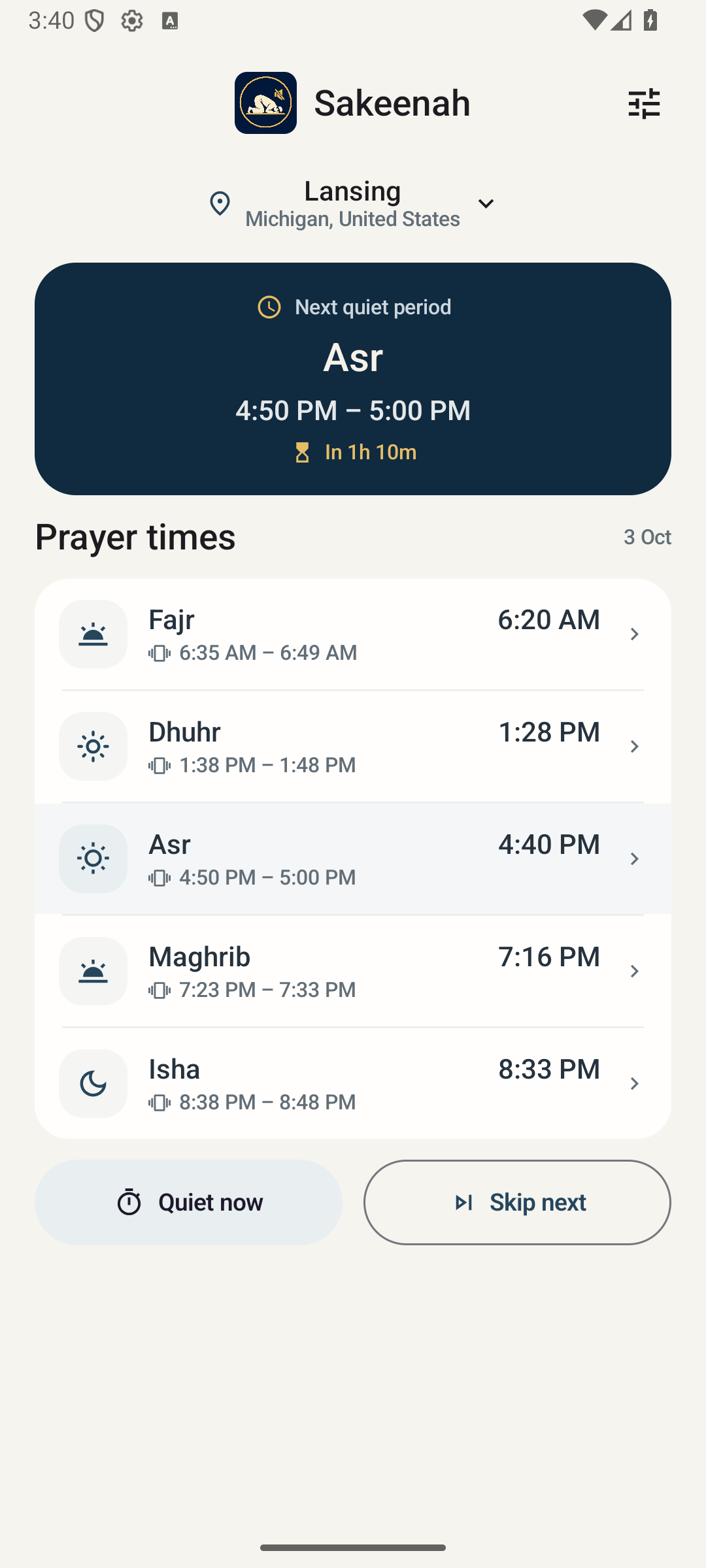
Live preview · tap any prayer
How it works
Search anywhere in the world or use your location. Prayer times are calculated right on your phone.
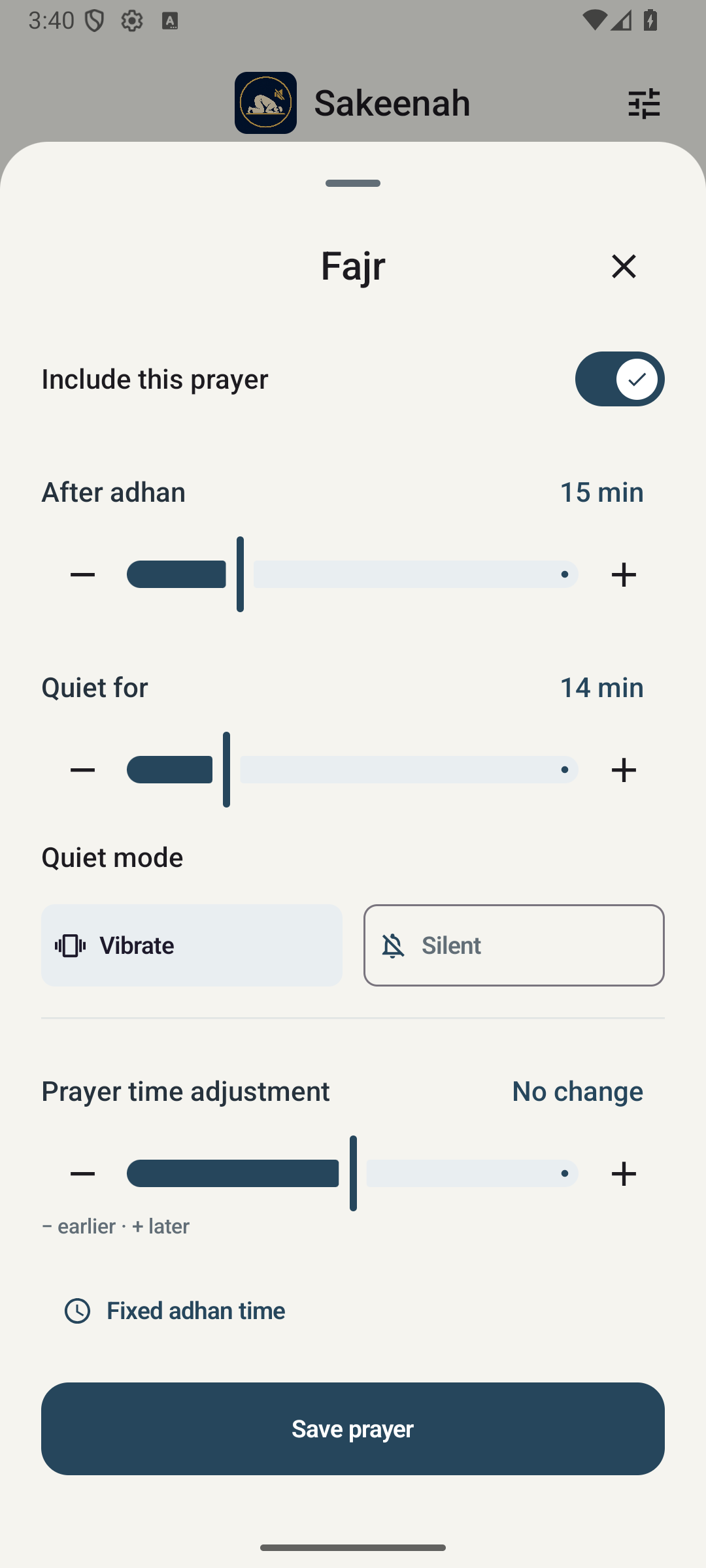
Decide how long after the adhan to go quiet, and for how long. Every prayer can be different.
Your phone goes quiet on time and returns to how it was afterward. Nothing to remember.
Asr
Quiet · Vibrate
These are the app’s starting timings. Change any of them in seconds.
Thoughtfully small
Your phone goes quiet at the prayers you choose — no switches to flip, no reminders to dismiss.
When the time is up, your phone returns to how it was. Already on silent? It stays that way.
Set the delay and length for each prayer, nudge calculated times, or enter your mosque’s fixed timetable.
Prayer times and city search run on your phone. No connection needed.
Find your city in Arabic or English. Daylight saving is handled for you.
Need quiet for a talk, or skipping one period? One tap, either way.
A look inside
One screen tells you what comes next. Everything else is a tap away.
Shown on Android
Private by nature
Sakeenah has nothing to sign in to and nothing to report back. It doesn’t send your location or settings anywhere.
Questions
No. There’s no sign-up, no ads, and no analytics. Your settings are stored on your phone.
Yes. Prayer times are calculated on your phone, and city search works offline too.
Yes. Sakeenah leaves your alarms alone, so you won’t miss what matters.
It stays silent. Sakeenah only puts back what it changed, so your own choices are respected.
Yes. Choose a calculation method, adjust any prayer by a few minutes, or enter fixed adhan times for each prayer.
On iPhone, Sakeenah uses an Apple Shortcuts automation with timed Do Not Disturb. The app walks you through the one-time setup.

Coming soon to the App Store and Google Play.